 RUSTY-CRESS

WATCH FACE FOR WEAR OS (WFF)
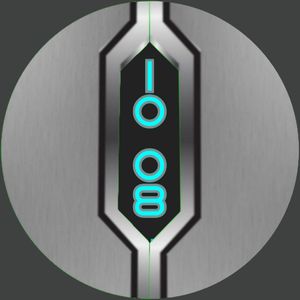
RETRO_LED01_(IM)
Homage to retro LED & Segment watches that began the Digital Watch thing . I had one that showed the time and at the press of a button the date .
This one shows the time with seconds . 12/24 hrs setting according to the Setting on your Mobile Phone .
So you will see an annoying bubble . If it is directed to the top of the display with the gyro action it shows the Date in American format . Bubble left shows your Steps total . Bubble right shows Battery power reserve and Heart rate in beats per minute .
Several colour options with the help of my Maker Friend K Designs
Also 4 hidden customisable complications , in the corner positions , to run Apps on your watch at one tap .
Tap and hold the Display to go to the Customisation Screens .
I always welcome any Comments .
Enjoy
Published on Aug 7, 2026
Looks for this watch face
Other faces by this designer



Comments (4)

Bianca
Wundervolles Design in leuchtenden Neon grün, Jedenfalls die Zeitangabe, nur die Punkte sind in Rot 👌 Beim bewegen erscheint dann das Datum in Orang. Dann erscheint der Akku in Neon grün und daneben in Rot könnte der Puls sein. Jetzt verstehe ich , so wie man die Blase bewegt erscheinen die gesamten Infos , das ist sehr beeindruckend 👍 Eine sehr kreative Arbeit, finde ich Klasse 👏 Dann kann man noch Schritte in Neon grün finden, die 5 kann ich noch nicht deuten, bekomme ich bestimmt noch raus. Ich bin begeistert, so wie die Kugel die Position ändert wechseln die Infos, fantastisch, auch mit der Blase habe ich auch noch nicht raus, wo sie sich befinden muss, um an die Infos zu kommen. Eine großartige Leistung, Idee und Arbeit 👏👍👌 Vielen lieben Dank 🥰😘

RUSTY-CRESS
Face author
OK . Sadly you have typed so much I can not respond On my Profile . However I continue to Endevour . I am a profound respecter of Human Endebour . So I thank you for your comments . Originaly all the 7 segment digits were populated all the time with a number and so often the number would be a Leading Zero . I decided that might be a little cluttered sor some . So the 5 actually represents "S" for Steps . You will see if to Tap and Hold the Display you will go to the Customisation Page where you can change the colours . Guide the bubble to the left for steps . Up for the date in American format . To the right will give you battery power reserve and on the eztreme right BPM . I did explain this in the description . But I only Make my instructions in English . It would be so difficult for me to be truly international . As a free maker I work while I am having fun . If it becomes a Task I stop and move to the Next .