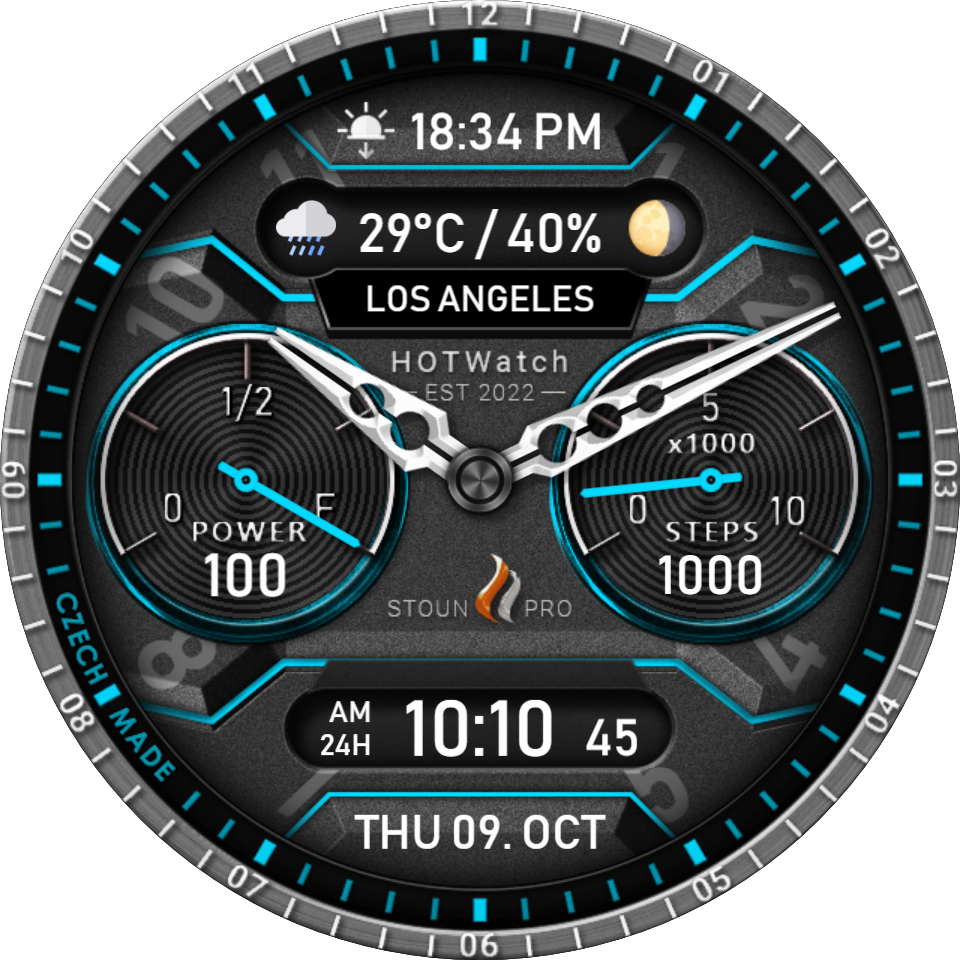
WATCH FACE FOR WEAR OS (LEGACY), Tizen & WEAR OS (WFF)
HW | Stoun Pro
[2023-05-22] Bug fix
- Fix display of sunset in 12 hour time mode
[2023-05-19] Modifications at the request of fans
- ECO AOD mode display adjustments
Introducing a new watch face that combines classic style and modern elements. Its design is eye-catching, practical and user-friendly. For young people who desire fresh accessories, this watch face is an ideal choice.
The gunmetal base color combined with the blue accent looks very elegant and unique. In addition, the watch face offers several color combinations so that everyone can choose the one that suits them best.
On the watch face you will find all the important information you need every day. However, we focused not only on the practical side, but also on the design, which will surely catch your eye.
This watch face is therefore the perfect choice for everyone who wants to have not only a functional but also a stylish accessory on their hand. Be on trend with our new watch face!
Stay ahead of the curve with HOTWatch! Don't miss out on the latest and greatest watch faces. Join us now to be the first to know. Thank you for your support!
All comments are welcome. Thank you very much!
Published on May 16, 2023
Comments
@Jake:
@Jake: Hi Jake! Thanks for letting me know. The watch face should work normally — it has been downloaded by thousands of users without this issue — so it’s likely a temporary glitch on the watch. Could you try restarting your watch, or switching to a different watch face and then back again? That usually fixes stuck hands. If the problem continues, feel free to let me know and I’ll try to help.
The hands of the clock do not move, it is stuck at 1010. The second hand doesn't move. The digital works.
@Avli:
@Avli: Thanks for letting me know! I tested this watch face on the Galaxy Watch 8 Classic, but I haven’t been able to test it on the Watch 8 Ultra yet. Could you try restarting your watch and checking that both your phone and watch are running the latest version of the Facer app? If it still doesn’t work, just let me know and I’ll try to help.
@Nitefury519: Thanks for your message! The interactive elements shown in the promo images work only on older versions of Wear OS. Google removed support for interactives in Wear OS 6, so they no longer function on devices running the latest version.
For the location issue, this can sometimes happen on Wear OS as well — switching to a different (for example, a system) watch face and then switching back usually refreshes the location after a few minutes.
Unfortunately, the restrictions in Wear OS 6 are not something I can fix on my side. I’m sorry for the inconvenience, and I hope this workaround helps with the location.
Purchased this for the watch 6 classic and it doesn't work on my Watch 8 Ultra