 Enkei Design

WATCH FACE FOR WEAR OS (WFF)
Project Q - Field Agent ʷᶠᶠ
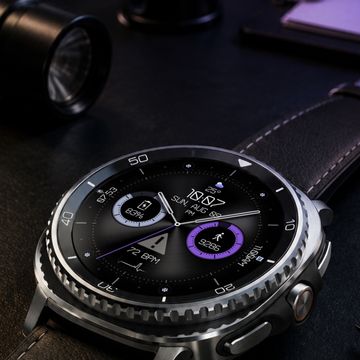
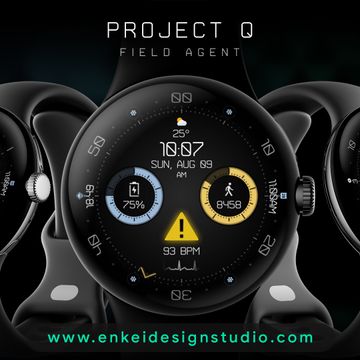
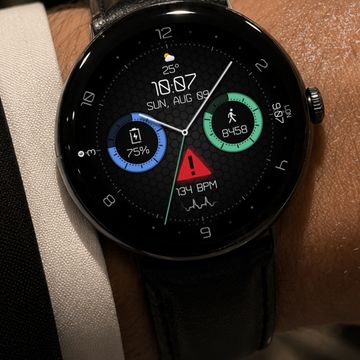
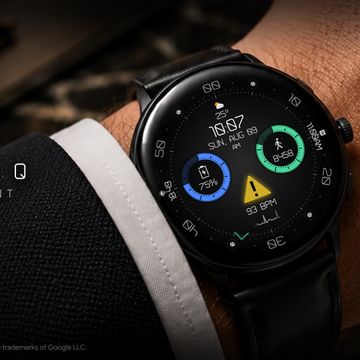
Project Q - Field Agent is a simple digital watch face with subtle BPM animation and useful health & weather indicators.
Mission-ready digital layout features all the indicators you’ll need at a quick glance, along with customizable indicators, app shortcuts, colors and more!
This an independent and unaffiliated work, inspired by a clean and simple UI from a spy-themed secret agent video game.
Powered by Watch Face Format
FEATURES:
- Digital clock - Supports 12h/24h
- Weekday, Month & Date - Multi-language
- TAP to open Calendar app
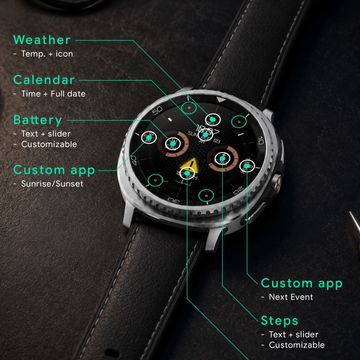
- Weather - Temperature & icon
- TAP to open Weather
- Watch battery % + slider - Customizable
- TAP to open Battery info
- Daily steps + daily steps goal % slider - Customizable
- TAP to open Steps info
- BPM indicator + dynamic animation & icon
- TAP to open Heart rate
- 2 Customizable short-text indicators
- Next event by default
- Sunrise/sunset by default
- 2 Customizable range indicators
- Steps by default
- Watch battery by default
- 4 Customizable app shortcuts (icons)
- At "1", "5", "7" and "11" o’clock
- Battery efficient, customizable AOD
- Uses just 1% - 5% active pixels
- Choose to show or hide certain indicators
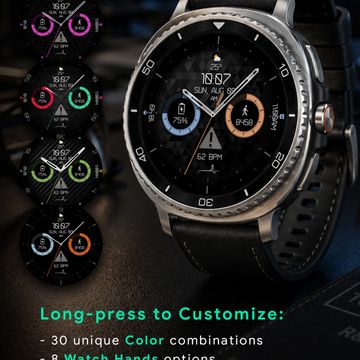
- Long-press to access Customize menu:
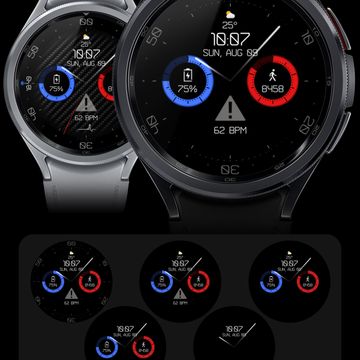
- Color - 30 unique color combinations
- Watch Hands - 8 options
- Index Numbers - 4 options
- Index - 5 brightness options
- Pattern - 10 variations
- Complications Show/Hide - 3 toggles
- AOD Cover - 5 options
- Complication
- 4 Customizable indicators
- 4 Custom app shortcuts (hideable icons)
Published on Aug 4, 2026
Other faces by this designer


Comments

@mpres: Thanks a bunch, glad you like it!


super cool and clean👌🏼
ok lovely thank you kindly
Hi, not sure what you mean by "small analog".
This face is digital by default, but you can customize it to show various analog hands.
Long-press on the watch face and tap the "Customize" button to select various settings (color, watch hands, index, etc.).
Hi, not sure what you mean by "small analog".
This face is digital by default, but you can customize it to show various analog hands.
Long-press on the watch face and tap the "Customize" button to select various settings (color, watch hands, index, etc.).