 ZHNKRDG

WATCH FACE FOR WEAR OS (LEGACY) & Tizen
ZK_TR210
Update 1: AOD color update was made according to user request.052225
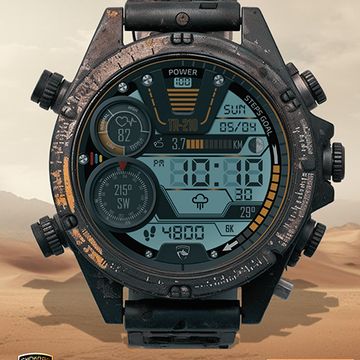
Watch face designed for activity.
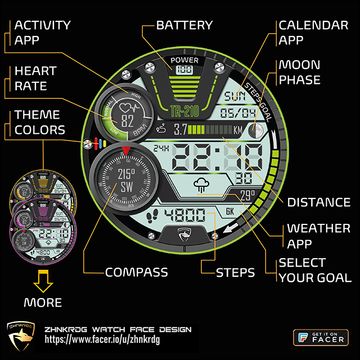
The watch is displayed digitally with 12H/24H selection.
Activity information (heart rate, distance (km/mi), steps) and current temperature, compass, calendar, moon phase and weather icon are tracked on the screen.
Tap Step Goal at 4 o'clock to choose a daily step goal of 3K, 6K or 10K.
Tap the date to open the calendar app, tap heart rate to open the activity app, or tap weather to open the weather app.
Tap the tricolor icon at 9 o'clock to apply the Facer Theme colors to the watch.
***Make sure to check out the promotional images for full information and instructions.
***Thank you and please follow me for more!
Published on May 7, 2025
Other faces by this designer


Comments (2)

Brian
is it possible to keep the color and just dim the AOD, maybe add glowing text to the AOD . thanks for your time

ZHNKRDG
Face author
Thank you for your suggestion. I made the AOD adjustment to keep the color as you requested. However, I did not give brightness so as not to increase battery consumption.