 amoledwatchfaces™

WATCH FACE FOR WEAR OS (WFF)
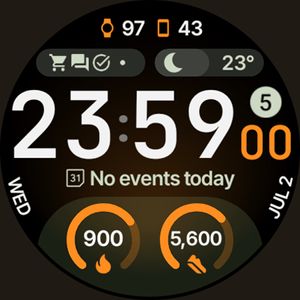
Circle Dashboard
Inspired by Circle Dashboard watch face from Galaxy Watch 8 series.
FEATURES
• Watch Face Format 4
• watch face presets (flavors) (Wear OS 5+)
• 8 custom complication slots
• supported complication types - SHORT_TEXT, LONG_TEXT, RANGED_VALUE, MONOCHROMATIC_ICON, SMALL_IMAGE
• phone notifications complication support*
• new, material 3 expressive progress bars
• optional seconds indicator
• multilanguage
• true black background
• unlimited color theme combinations
• three always-on display styles
• battery friendly
• digital clock fonts
• digital clock blinking colon effect
• weather forecast, moon phases widget (Wear OS 5+)
• created in Android Studio
• custom app shortcut (complication)
• animated AOD entering (Wear OS 6+)
• adaptive complication text size
* requires Phone Battery Complication app
https://play.google.com/store/apps/details?id=com.weartools.phonebattcomp
USER CONFIGURATIONS
• Primary Theme (60+)
• Secondary Theme (60+)
• Tertiary Theme (60+)
• Digital Clock Font (5x)
• Date Format (6x)
• Circular Widget (Weather*, Moon Phases, Full Date)
• Weather Icon Pack* (2x)
• Weather Provider* (4x)
• AOD (3x)
• Custom Complications (8x)
• Leading Zero (Toggle)
• Seconds Indicator (Toggle)
• Complications Background (Toggle)
• Percentage Type Arcs (Toggle)
• Vivid Digital Clock** (Toggle)


Published on Oct 23, 2025
Other faces by this designer




Comments (2)

Chiayin
it doesn't always show correctly on pixel watch 4. tried to reinstall something else and back to this one, still doesn't get fixed. hope that it will run as designed, thank you.

amoledwatchfaces™
Face author
Hi. Thanks for your review! This is a known issue on all Pixel Watch models running on latest Wear OS 6. Google is aware of the issue and will hopefully fix it with Dec 5 OTA update. You can temporarily fix this by switching to another watch face and back or disabling AOD completely. Tomas | amoledwatchfaces.com