 Sholokov

WATCH FACE FOR WEAR OS (WFF), WEAR OS (LEGACY) & Tizen
DB-006 Digital life (square)
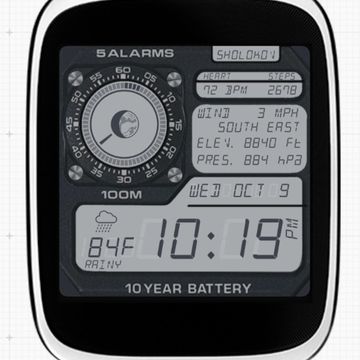
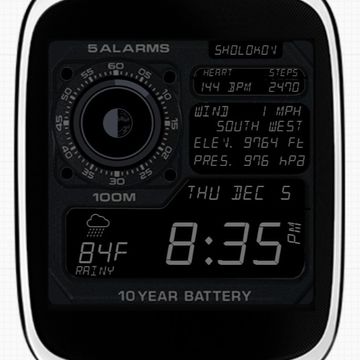
DB-006 has the iconic look of the LCD watches of the 80s. This LCD watch is complete with the LCD Seconds hand, Battery indicator and Moon phases in the round dial, while all else in the rectangular areas. The watchface includes Detailed Weather, Temperature, Wind speed, Wind direction, Elevation, Air Pressure, Heartbeat sensor data and Date/Day information. All of which is available in AOD screen with a darker background.
Update (07/19/26): Improved Text visibility and graphics in ambient/dark mode.
Update (10/12/19): Fixed issue where seconds hand would disappear at 60 seconds. Also fixed minor alignment issues.
Update (12/05/19): Fixed issues with text fields on some smartwatches. Darkened AOD mode.
Please Note: This watchface looks best on square screen smartwatches.
Published on Oct 10, 2019
Other faces by this designer


Comments (5)

wol
Specialists do something special and this was done by a specialist! You are the best! Thanks a lot for this! 👍👍👍

Sholokov
Face author
Thank you so much! I am planning on a couple of new faces, but just can't find the time for it. Hopefully soon.