 Mr. Antisocial Guy


WATCH FACE FOR WEAR OS (LEGACY) & Tizen
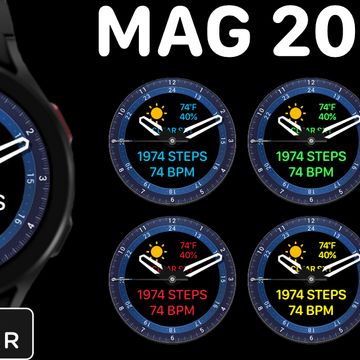
MAG 2085
Analog hybrid with compass function* step count, distance walked, heart rate, calories burned, weather conditions, temperature, humidity and battery level. *Note: Compass does not function on Samsung's Tizen operating system.
Please Like And Subscribe!
Published on Sep 4, 2022
Other faces by this designer


Comments

@Mayur:
@Mayur: Great, I'm glad to hear that! In the future pretty much, all problems can be solved by either switching to stock face then back to Facer or a simple restart.


Thanks Sir it really worked. Now my watch face shows heart rate.
Thank you very much sir.
@Mayur:
@Mayur: A recent Facer and WearOS update is the source of the problem. If you switch to one of your watch's stock faces wait a few seconds, then switch back to Facer should work. I had to do that on my own watch yesterday. If not try restarting your watch, then do the face swap again. If everything fails contact Facer Support at: https://help.facer.io/hc/en-us/requests/new . They will want you to include the watch brand and model number, the operating system version plus the Facer app version you have. Also include a detailed explanation of the issue you are having.
Sir recently my watch 4 classic does not show heart rates in this watch face. pls if you can help.