 ZHNKRDG

WATCH FACE FOR WEAR OS (LEGACY) & Tizen
ZK_TR137
18/03/22 Fixed the sunrise time display bug.
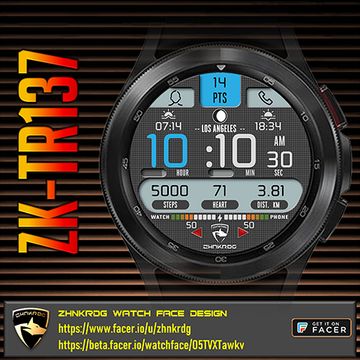
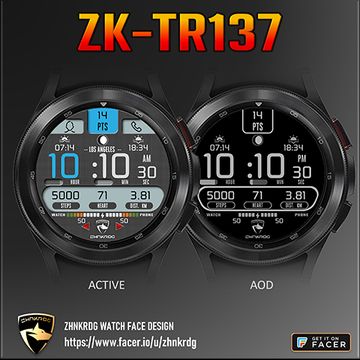
Digital watch face with easy to read and selectable display.
For detailed usage information, you can view the promotional images.
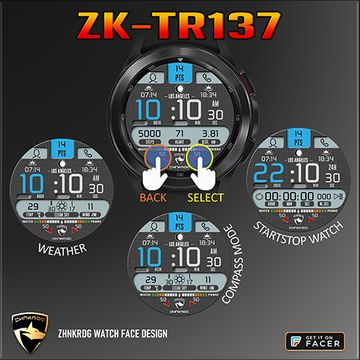
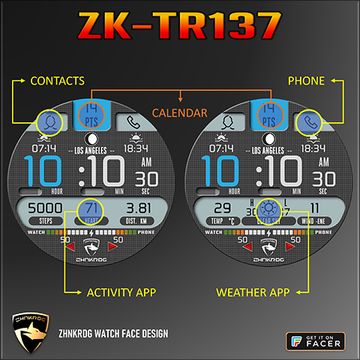
With selectable screens, activity (health), weather, stopwatch and compass (does not work on Samsung Tizen watches) information can be easily accessed.
12/24 hour display can be selected.
Digital time, date, sunrise and sunset, location and moon phases are standard on all displays.
When you click on the date information on the top of the clock, the calendar application is accessed. Again, clicking on the contacts and phone icons at the top opens the contacts and phone applications.
To make a screen selection (forward-backward), it is necessary to click on the red arrow heads around the logo located at the bottom of the clock.
Taking into account the military use of the compass, heading angles are shown in both degrees and milliems. There is also a small compass indicator in the middle.
Published on Feb 17, 2022
Other faces by this designer


Comments (6)

ZHNKRDG
Face author
@Aaron I understand the problem. It shows the charging status of the phone incorrectly. I will report the issue to Facer Support. I will update the watch face when the solution is revealed. Thank you for your feedback.