 SI Design

WATCH FACE FOR WEAR OS (WFF), WEAR OS (LEGACY) & Tizen
SI | TIVO
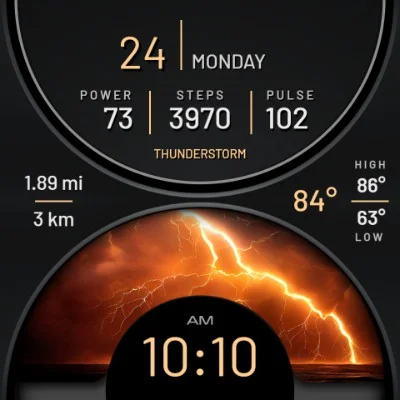
- TAP Center to go to Theme Picker;
- 12/24 AM/PM hours time;
- day and date;
- steps count;
- battery level;
- weather temp;
- heart rate.
To launch additional apps - see the Photo.

Published on Jun 6, 2024
Other faces by this designer



Comments (2)

Ian
Pulse not displaying on Pixel Watch 2. Tap to open calendar not working though fitness and weather taps are working. Restarted watch after install but still unavailable. Reinstalled and swapped faces a few times.