 Enkei Design

WATCH FACE FOR WEAR OS (WFF)
DEUS - animated
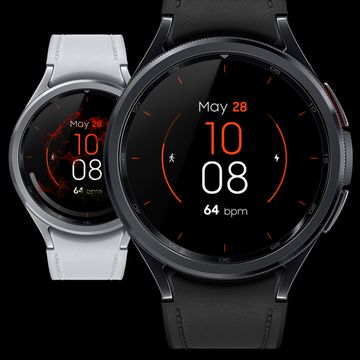
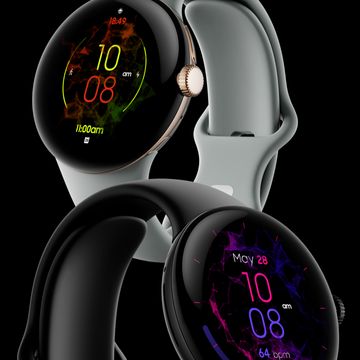
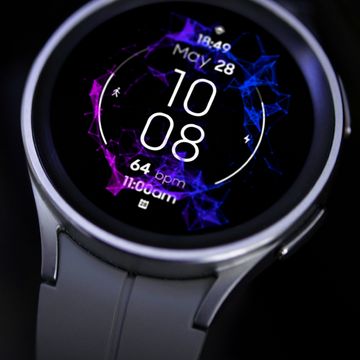
DEUS features a complex animation with unique 3D effect, making it look like it’s floating above the screen, constantly breathing and looping perfectly!
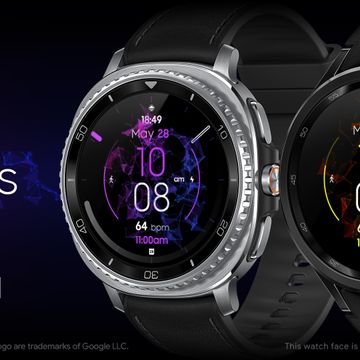
Outstanding customization options let you easily personalize the layout of your watch by combining both analog & digital elements along with several useful indicators, index styles and colors!
Make your watch look just the way you want it to!
Powered by Watch Face Format - offering expanded customization options and useful features!
FEATURES:
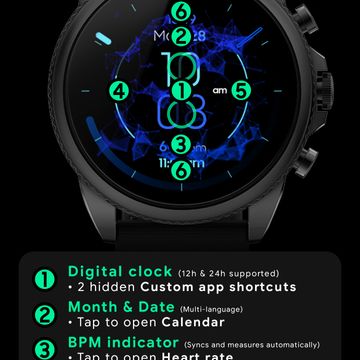
- Digital clock - 12h/24h
- TAP Hours or Minutes to open hidden Custom app shortcuts
- Month & Date - Multi-language
- TAP to open Calendar
- BPM indicator - Measures and syncs automatically
- TAP to open BPM info
- Daily steps goal % bar - Syncs with the health app
- TAP to open Steps
- Watch battery % bar
- TAP to open Settings
- 2 Custom indicators
- Empty by default, use "Customize" menu
- 2 Custom app shortcuts - Hidden
- Hours and Minutes indicators
- Battery efficient AOD
- Uses just 1% - 5% active pixels
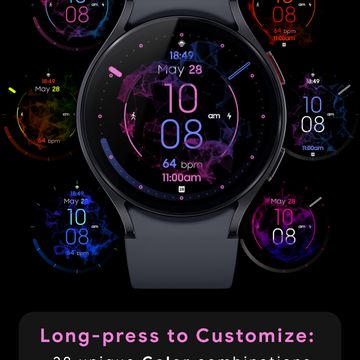
- Long-press to access Customize menu:
- Color - 28 unique combinations
- Clock & Date - Hide/show
- Steps, Battery & BPM - Hide/show
- Index style - 5 different options
- Hour, Minute & Second hands - Hide/show
- Complications
- 2 Custom indicators
- 2 Custom app shortcuts
Published on Aug 28, 2025
Other faces by this designer




Comments (2)

Michael Carroll
Nice watch face that has a very nice animation accenting the watch information. But it seems to not be able to resize and take advantage of the whole screen size of my watch.

Enkei Design
Face author
Thanks for your feedback!
Every watch face automatically fills 100% of the screen.
The main indicators in this face are centered and don't go all the way to the edge. That's perhaps why it seems like the watch face doesn't fill the whole screen at first. The intention was for the animation to fill the whole screen.
If you'd like, try adding a seconds hand or any index style from the "Customize" menu, as those will fill the screen to the edge.
Hope this helps!