 ZHNKRDG

WATCH FACE FOR WEAR OS (LEGACY) & Tizen
ZK_TR138
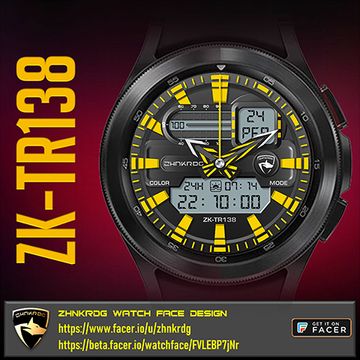
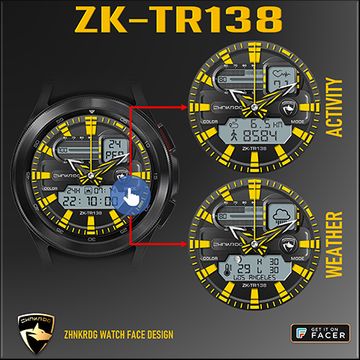
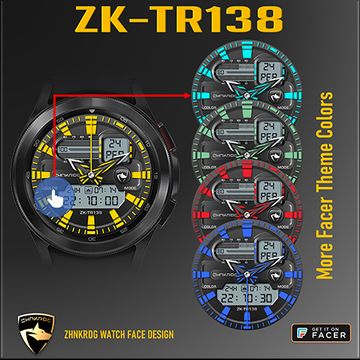
Sporty watch face. Designed to add color to your life.Analog and digital clock together. By clicking on the MODE text at 3 o'clock, selection can be made on the digital screens. Battery information is standard for all screens at the top.Selectable screens;First Screen: Date (day and day of the week), 24-hour or 12-hour digital clock, sunrise and sunset timeSecond Screen: Heart rate, steps and distance (km or miles)Third Screen: Weather icon, current temperature, lowest and highest temperature, moon phasesTick Marks and the colors of the hands can be changed with Facer Theme colors by clicking on the COLOR text at 9 o'clock.For detailed usage, please review the promotional images.
Published on Mar 1, 2022
Other faces by this designer


Comments (3)

Shaun Sparico
As someone mentioned earlier, a very cool set of hands and I also like a dual setup of analog or digital (which is always in military format) look. one question that I have, that is if you would be kind enough or have the time to do so, "is it possible to change the ambient color?" The reason that I ask is that I obviously use the watch faces as an accessory to the color scheme of the day & I change the face to match that scheme initially, but when It goes into ambient mode, the color is different. Please excuse me for tossing this at you this morning, but I joined last month and although I guess I would be able to research it, but since I was commenting, I thought I'd ask. Regardless, thank you.

ZHNKRDG
Face author
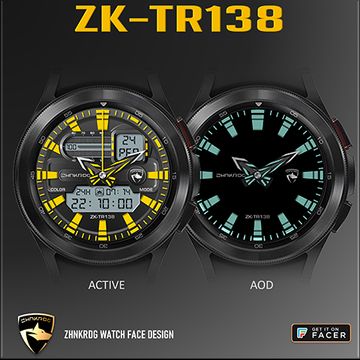
As far as I understand, you want DIM mode color change. However; I choose dark theme in this mode to save battery. Thank you for your suggestion.