 SKYSOE

WATCH FACE FOR WEAR OS (LEGACY) & Tizen
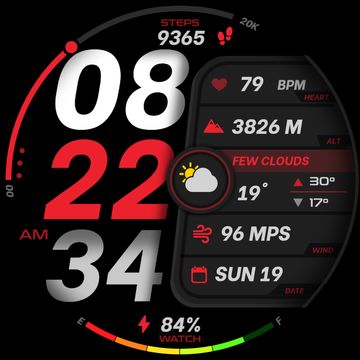
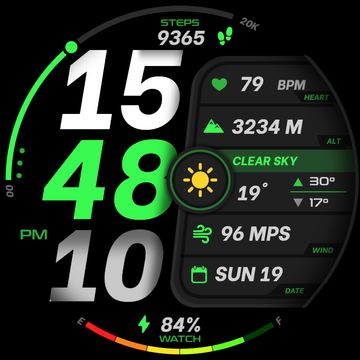
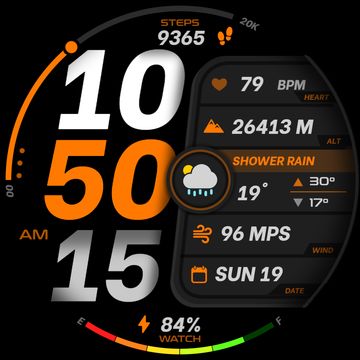
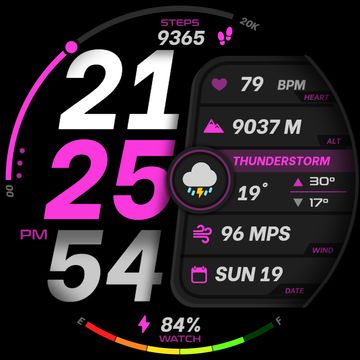
SS | Infometer VI
- Premium digital watch face.
:
- TAP FUNCTIONS
---------------------------
- Tap "3 dots at left" for the Theme color picker.
:
- Tap "Date" for the calendar app.
- Tap "Step counts" for the activity/health app.
- Tap "Digital Second" for the alarm app.
- Tap "Weather Icon" for the weather app.
:
** Please test all the functions on your watch first before purchasing.
** Advice for weather icon/text not showing in some watches = On this watch face on the Facer app, tap THEME and choose Unit System (Tap metric and imperial until the weather icon shows).
:
** Visit my profile and follow me for future updates/ watch faces. Peace!! :)
Published on Jan 20, 2025
Other faces by this designer


![SS | [F] The Bubbles-2 by SKYSOE](https://cdn.facer.io/original/54a17374f2d7541ebb2926708b758eb0_watchface-UBVlW7Ua75.webp)


Comments (2)

Shirah
⁴=j4djyduyuktjyjrirkrrrrrrk#sssdsdsssekksdsssssssssssssssssss#s#sssssssssssssssssssssjdssssssssssjsssssssssssssssssssssssssssssssssssssssssssssssssssssssssssssssssssssssssssssssssssksssssssdsssssssssksssssssssssssssssssssssssssssssssssssssssssssssssssssssssssssssssssssssessssssssssdedjedddeeeke=eeerkrikssssssdssssssssssssssssssssssssssssssssdsssy d y jjikjkik44k44r44k44r4rrfk4rkrj444rkk4ikrkrr4rrkk4rk44r krjr44 4444krk4k 4krrrkkke rjrkerrrrr4r4dj4jrrrk krkkr4444utj4ru