 OMG Watch Faces™

WATCH FACE FOR WEAR OS (LEGACY), Tizen & WEAR OS (WFF)
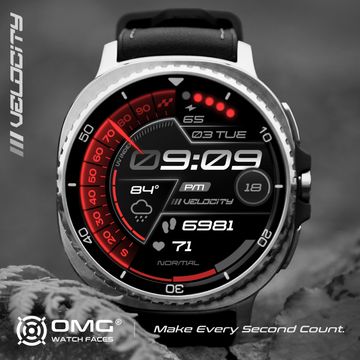
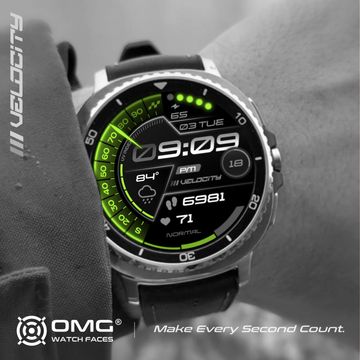
OMG Velocity
OMG Velocity delivers high performance racing style to your wrist, inspired by modern motorsport dashboards and race telemetry.
Functions:
- Time (12h/24h) + Seconds Indicator
- Battery Level + Ratio
- Steps Goal - Ratio
- Date
- UV Index - Ratio
- Temperature
- Weather Type
- Steps Counter
- Heart Rate
- HR Zones
- Face Chime
Make every second count.
Published on Mar 3, 2026
Looks for this watch face
Other faces by this designer


Comments

@papabear2097: We’re so happy you’re enjoying the watch face! Thanks for your support 🙏

Very nice watch face! Five stars!!⭐⭐⭐⭐⭐
@Roy: Hi! Sorry for the late reply. Can you please open a support ticket at help.facer.io? Maybe our support team can assist you with this issue. On my end everything seems fine


seconds indicator doesnt work on my galaxy watch 7.
Hi, Dan! Thanks for your support :) To deactivate the Face Chime feature in Facer, open the Facer app on your smartwatch, navigate to the Settings screen, and toggle the Chime setting to Off. Alternatively, you can enable Do Not Disturb, Theater Mode, or Sleep Mode on your watch, as Facer adheres to these system settings.