 Mellin


WATCH FACE FOR WEAR OS (LEGACY), Tizen & WEAR OS (WFF)
Inhabitant tachymeter
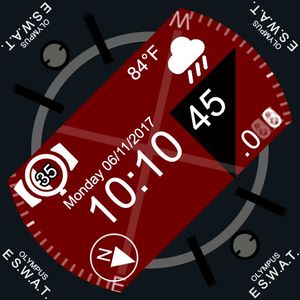
This themeable face with an integrated tachymeter bezel shows not only the current time but also current date and steps counter.
It also displays your watch's basic info.
Bu using tachymeter bezel you are capable of determining the speed of events around you.
Example usage: you see a car drive next to you. All you need to do is wake up you watch and when an event ends (car drives for 1 mile for example) the second's hand will show the speed of that event per hour (in that example the unit will be miles per hour).
WARNING!
This face uses a function, that I found out sometimes don't work on some faces.
It's known as Time elapsed tag.
Before you purchase this face go to this free, test face and use its description in order to check if you watch will work with this function:
"Ultimate testing face" face by "Mellin".
https://www.facer.io/watchface/ulaIRgZrDf
Function #1
This face is a request from "harikiranmohan".
Published on Jul 13, 2017
Other faces by this designer


Comments (2)

Pierre Richer
Deception. .. Background all grey on Classic S2. Bezel does not synch on start. Useless. . .

Mellin
Face author
That is truly a weird phenomenon.
Can you please contact me on Facer's forum so we can fix it for you?